
Bring Your Provincial Leisure Articles to Your Own Website
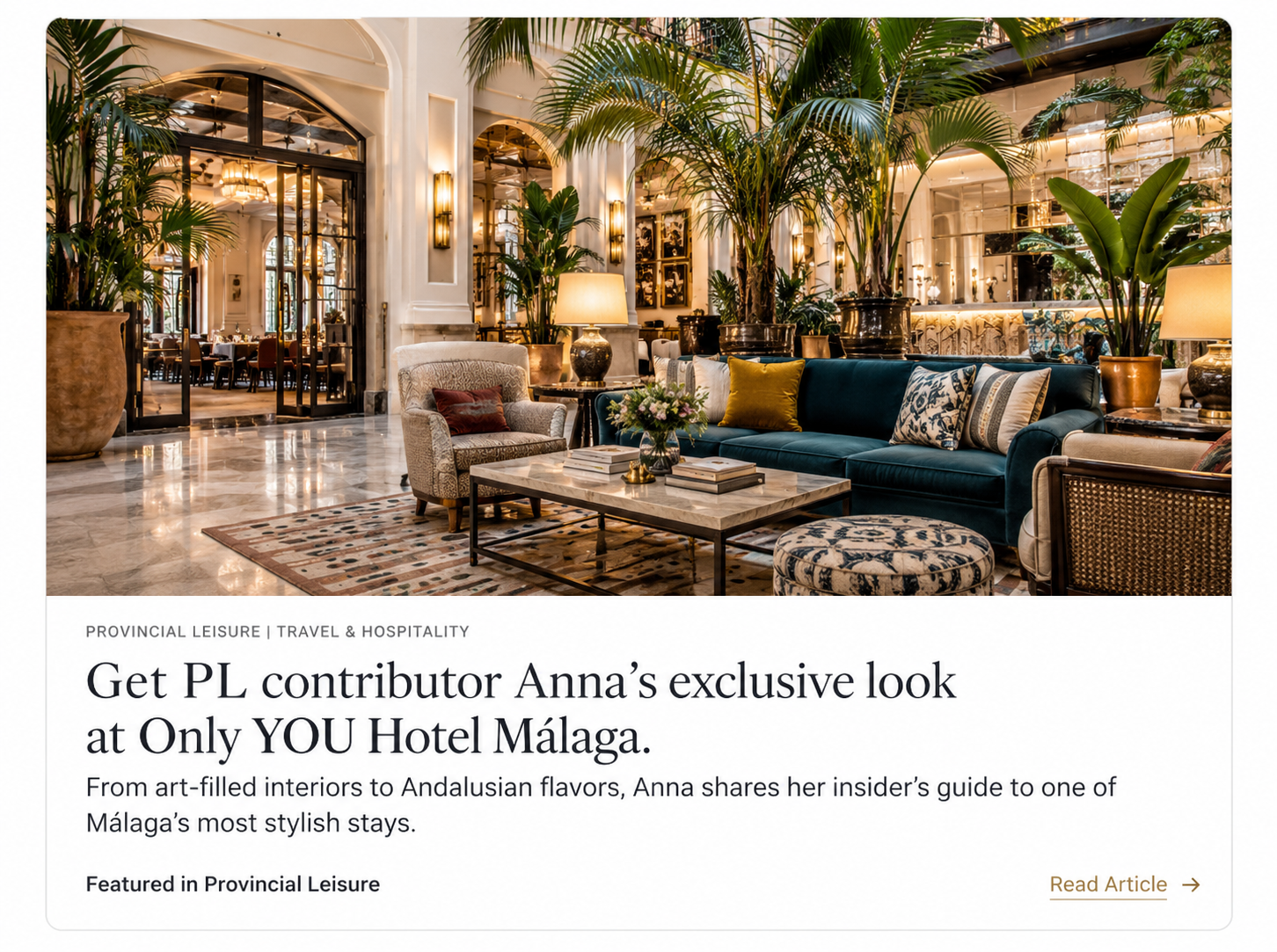
Published with us? Now, make the most of it!
Have you joined the Provincial Leisure Contributor Program and published an article with us? Perhaps you've been featured in one of our editorial stories and would like to showcase that coverage on your own website.
Good news. We've made it remarkably simple.
Rather than simply adding a hyperlink to your published article, you can now display a beautifully formatted Provincial Leisure editorial feature directly on your own website, complete with its original photography, headline, and publication branding.
Provincial Leisure Article Embed Generator
Showcase your published editorial coverage on your own website. Enter your article details below to create your complimentary embed.
What Is an Article Embed?
Think of it as a little piece of Provincial Leisure, beautifully presented on your own website.
An article embed is a professionally formatted editorial preview that can be placed directly into a webpage on your site. It displays your published article's featured image, headline, brief description, and a link to the original story.
Visitors can discover your Provincial Leisure coverage without having to navigate away from your website first. When they're ready to read the complete article, one click takes them directly to the original publication.
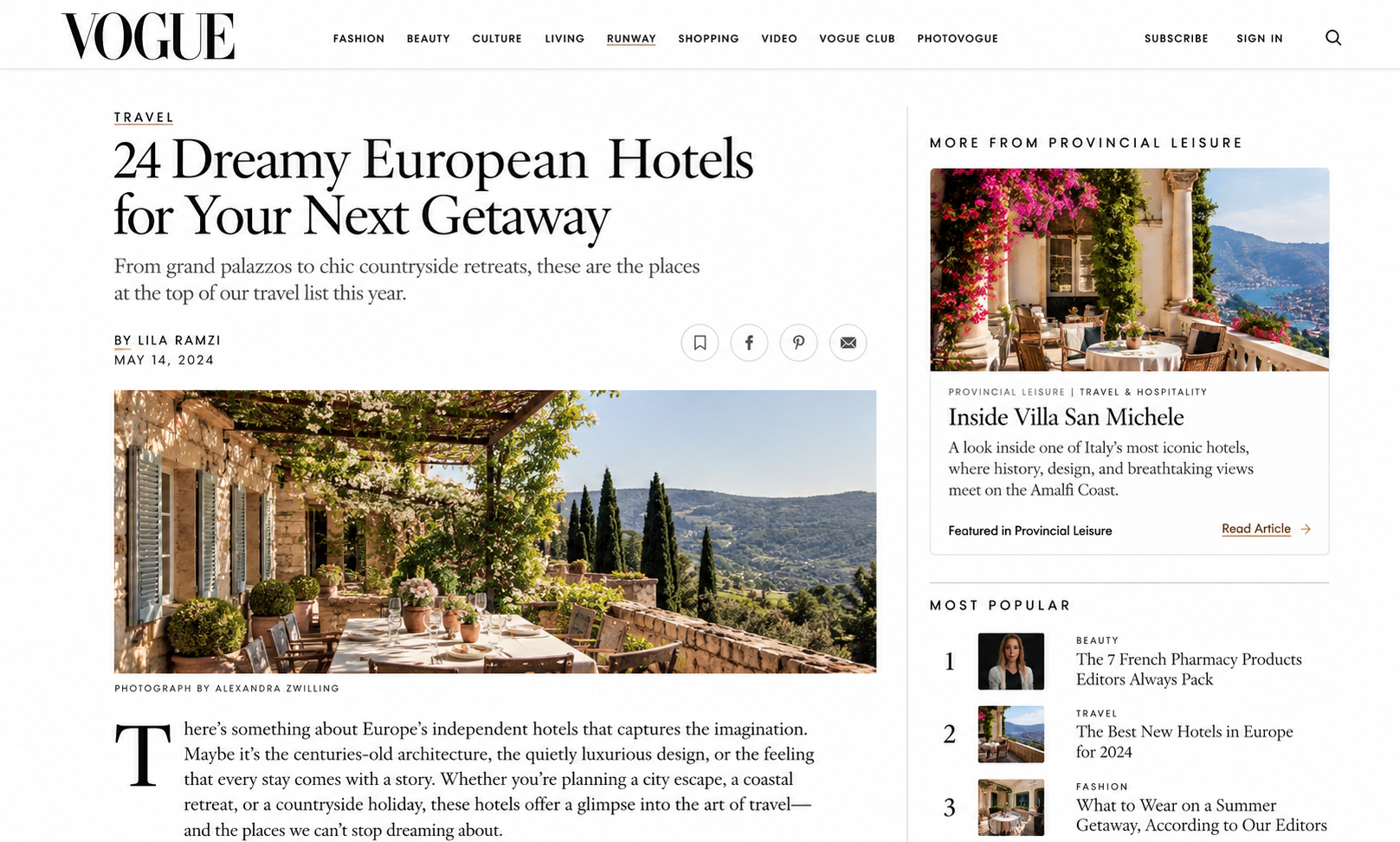
How to Embed Your Provincial Leisure Article
Step 1: Find Your Published Article
Visit Provincial Leisure and locate the article you'd like to feature on your website. Copy its URL (the full web address displayed in your browser).
Step 2: Generate Your Editorial Embed
Use our complimentary Article Embed Generator from above. Simply enter your article's headline, a brief description, the article URL, and its featured image URL (or any you’d prefer).
Our generator will automatically create a branded editorial card, ready for your website.
Step 3: Copy Your Embed Code
Once you've entered your information, click Copy Embed Code.
This copies a small piece of HTML (the standard language used to display content on websites). There's no need to understand or modify the code.
Step 4: Add It to Your Website
Open your website editor and paste the code into an HTML or Custom Code block wherever you'd like your feature to appear.
Most major website platforms, including Squarespace, WordPress, Wix, and Webflow, offer options for adding custom HTML, although availability may depend on your website plan.
Save your changes, publish your page, and your Provincial Leisure feature is ready to share.
Your Coverage, Beautifully Presented
Your published editorial coverage deserves more than a passing mention.
Our embed generator helps you incorporate Provincial Leisure features into your website's existing design while preserving the publication's editorial identity.
Use your article embed on your Press & Media page, About page, professional portfolio, or a dedicated section highlighting recent features and collaborations.
The result is a polished, recognizable editorial preview that connects your audience directly to your published work.

Need a Little Assistance?
Not particularly fond of HTML? We understand. We’ve create a redirect to ChatGPT to help you, depending on your hosting site.
-
For websites built with Squarespace 7.0 or 7.1.
-
For WordPress.com and self-hosted WordPress websites.
-
For Wix and Wix Studio websites.
-
-
Need Further Assistance?
Having trouble locating your article's featured image URL, generating your embed code, or getting everything to display correctly?
We're happy to help. Our ChatGPT assistance link can guide you through the process, troubleshoot common issues, and answer any additional questions about displaying your Provincial Leisure coverage.
No technical expertise required. Just a little guidance.